Elektrine
Log in Register
Paige Chat Timeline Gallery Friends Email Drive DNS Private DNS Domains VPN Kairo Nerve
Remote

Veronica Explains (via Ghost)

@veronica@veronicaexplains.net
ghost 0.1.0
  • Open on veronicaexplains.net
Move slow and fix things. Linux mom, vintage tech enthusiast, nerdy musician.

(Ghost integration with ActivityPub is in beta, includes no DM capabilities, there may be dragons, please be patient, etc etc)
2149 Followers
9 Following
16 Posts
Open post
Veronica Explains (via Ghost) @veronica@veronicaexplains.net
· 5mo ago

I'm missing some features of other fedi clients, particularly polls and some granularity over DMs.

I am trying out GoToSocial over at @veronica@explains.social if you want to follow along. :)

0
0
0
0
Open post
Veronica Explains (via Ghost) @veronica@veronicaexplains.net
· 6mo ago

I've had a few comments on my Patreon/Ko-Fi saying that I "quit Fedi" just because I stopped posting on my Mastodon.

A friendly reminder I am still on Fedi here (duh) as well as @veronicaexplains@tinkerbetter.tube.

tinkerbetter.tube
0
0
0
0
Open post
Veronica Explains (via Ghost) @veronica@veronicaexplains.net
· 6mo ago

I'm really wishing Ghost let me put up polls here on Fedi. That's one thing I sorely miss.

0
0
0
0
Open post
Veronica Explains (via Ghost) @veronica@veronicaexplains.net
· 7mo ago

I've used GrapheneOS for three years now as my everyday mobile OS, and I'm satisfied with it! In fact, a few days ago I put out a video about it:

My most recent GrapheneOS video on PeerTube. If you prefer watching on YouTube, here's a link.

Since I started using GrapheneOS, and especially since putting out this video, I've received a lot of questions- ranging from understandable concerns to misconceptions. I'd like to answer those questions in one place, so I have one link to share!


Skip to your favorite question:

  • Isn't GrapheneOS too hard to install?
  • But banking apps don't work, right?
  • Yeah, right, like I'm gonna buy a Google Pixel phone to get away from Google.
  • Why is GrapheneOS limiting my freedom to install their OS on whatever phone I want?
  • Why not use an unofficial build of GrapheneOS on an unsupported device?
  • What about Lineage? Sailfish? /e/?
  • Won't Android become closed off soon anyway?
  • Why bother with privacy?
Isn't GrapheneOS too hard to install?

I first flashed an Android OS (what we often colloquially and erroneously call a "ROM") on my T-Mobile G1 about a hundred years ago or so- the process of installing GrapheneOS is nothing like that. At least not today- there's no "fastboot cable", no terminal commands for me to bork, no sketchy third party websites for firmware downloads.

Basically, assuming you have a Pixel and you've backed up any info on the phone, all you do is:

  1. Enable developer mode from the stock Pixel OS,
  2. Plug your phone in while browsing the GrapheneOS install page from a Chromium-based web browser, and
  3. Follow the prompts on the page to install GrapheneOS.

It's very forgiving. I didn't cover it because the process hasn't changed much from my first installation video years ago (PeerTube/YouTube)- you can watch that if you want a more step-by-step video tutorial, but the best thing you can do is go to the GrapheneOS install page and just read it for yourself. It's very in-depth!

But banking apps don't work, right?

This is a big misconception. There are undoubtedly some apps that don't work with GrapheneOS- but the known list is actually much smaller than you may have been led to believe. I run banking apps on my tablet which uses GrapheneOS- it's fine!

Note that some applications might throw an error due to exploit protection... remember that GrapheneOS hardens Android, so apps that don't like the hardened OS might throw a fit. The thing is, that's actually pretty solvable within GrapheneOS, who have a whole section of their website devoted to it:

GrapheneOS usage guide
Usage instructions for GrapheneOS, a security and privacy focused mobile OS with Android app compatibility.
GrapheneOS

There's also a community-supported list of banking apps that are known to work, which is awesome and a resource folks should check out:

Banking Applications Compatibility with GrapheneOS
Maintained Compatibility List for International Banking Apps This list includes banking apps that have been tested, submitted, reviewed, and verified as compatible. LIST | SUBMIT | UPDATE | POSSIBLE WORKAROUND SOLUTIONS Introduction Welcome to the crowd-sourced dataset for GrapheneOS users on currently supported devices. New visitors are encouraged to read the official usage guide on banking apps for comprehensive details about how these apps function on GrapheneOS. IMPORTANT Please read GrapheneOS’s important announcement, officially released on Dec 1, 2023:
PrivSec - A practical approach to Privacy and Securityakc3n, Tommy, spring-onion

Yeah, right, like I'm gonna buy a Google Pixel phone to get away from Google.

That isn't a question, but I'm still gonna answer it!

First off, as I mentioned a couple of times in the recent video, GrapheneOS is working with an OEM to bring the OS to another brand's devices- we now know that this OEM is Motorola, and that's a great thing! While I'm not aware of any plans to officially backport GrapheneOS to existing Motorola devices, I am looking forward to a non-Pixel option for GrapheneOS fans.

Second, folks have to remember that not everyone has the same threat profile. Reasonable people can disagree over the degree in which they want Google's devices and services in their lives, and managing privacy on the internet will always involve a certain amount of give-and-take. For some people, giving Google any money at all is an unworkable solution, for others, it's not a deal-breaker. Neither position is unreasonable- it all comes down to your own personal priorities.

Which brings me to the related question...

Why is GrapheneOS limiting my freedom to install their OS on whatever phone I want?

They aren't.

Their software is open source. You can do whatever you want with it, provided you follow the open source licensing.

They built an OS for a specific device. That's not restricting your freedom in any way, and I have to chuckle a bit at this line of thinking because it doesn't scale well.

If I build and distribute a piece of software for the Commodore 64, I'm not "restricting your freedom" to use it on the ZX Spectrum. That's so silly!

Until recently, GrapheneOS made a choice, as builders of software, to focus on a specific brand's hardware. They're under no obligation to support anyone else's. They make a thing you can download for free!

And like I said above, if you don't like it, the code's right there.

Why not use an unofficial build of GrapheneOS on an unsupported device?

Because I won't tell people on the internet to use something that's so "unsupported".

There's lots of reasons for that decision, but a big one is that every video I make triggers thousands of comments, questions, etc etc. The last thing I want is to lead people down a rabbit hole where they end up with bricked phones, or worse, insecure devices. I don't want to wake up to a thousand comments from folks who broke their bootloader and want me to fix it.

Plus, I think recommending something that I can't possibly test well (being that I'm not a security researcher) would be a bit irresponsible of me, and that's my choice. I try to stick with things I can confirm, and leave the speculation to other channels.

What about Lineage? Sailfish? /e/?

Those are their own projects!

We do this thing a lot on the Internet- I mentioned that I use GrapheneOS and someone assumes I don't like LineageOS. It's the waffles/pancake meme (you can look it up if you don't know).

I can speak to LineageOS since I've used it- it's fine! I don't use it every day for two main reasons:

  1. I like GrapheneOS' hardening, and
  2. I prefer the sandboxed Google Play approach in GrapheneOS over the typical LineageOS microg approach personally.

If GrapheneOS went away, I'd probably go to LineageOS, but I'd miss the hardening features of GrapheneOS.

Now, about Sailfish and /e/, those look interesting. But, I don't have access to the specific devices they recommend, so I can't really try them or form any opinions. I chuckle a bit because this echoes some of my commenters' complaints about Pixels:

  • "You could install it on a Sony Xperia something or other" as though I just... had one?
  • "Get a Fairphone!" as though they routinely ship to the US?

I get it, my videos aren't geolocked so my commenters come from a variety of locations and perspectives. I certainly don't fault someone for wanting to get away from Android in the interest of leaving US tech behind. Again, everyone's threat profile is different.

In my case, I'm stuck in the US, I don't think those European carriers are going to help me much. If you're reading this and work for one of them, I'd love to talk though! (Also, do you sponsor visas? 😳)

Won't Android become closed off soon anyway?

There's a lot of speculation out there right now over this, and I'm not a lawyer, so I'm going to say "I don't know." But I will give some context which I cut from my recent video (my first draft was 45 minutes long).

Basically, the theme of this question is "Android is making moves to lock down the developer ecosystem and that puts third party OSes and Android devs at risk." This idea is in response to Google launching an Android Developer Verification Program, which "will require all apps to be registered by verified developers."

Some members of the community have reacted strongly to this development, and understandably so! F-Droid right now has a full banner up saying "F-Droid is under threat" with a link to a website containing an open letter and additional information:

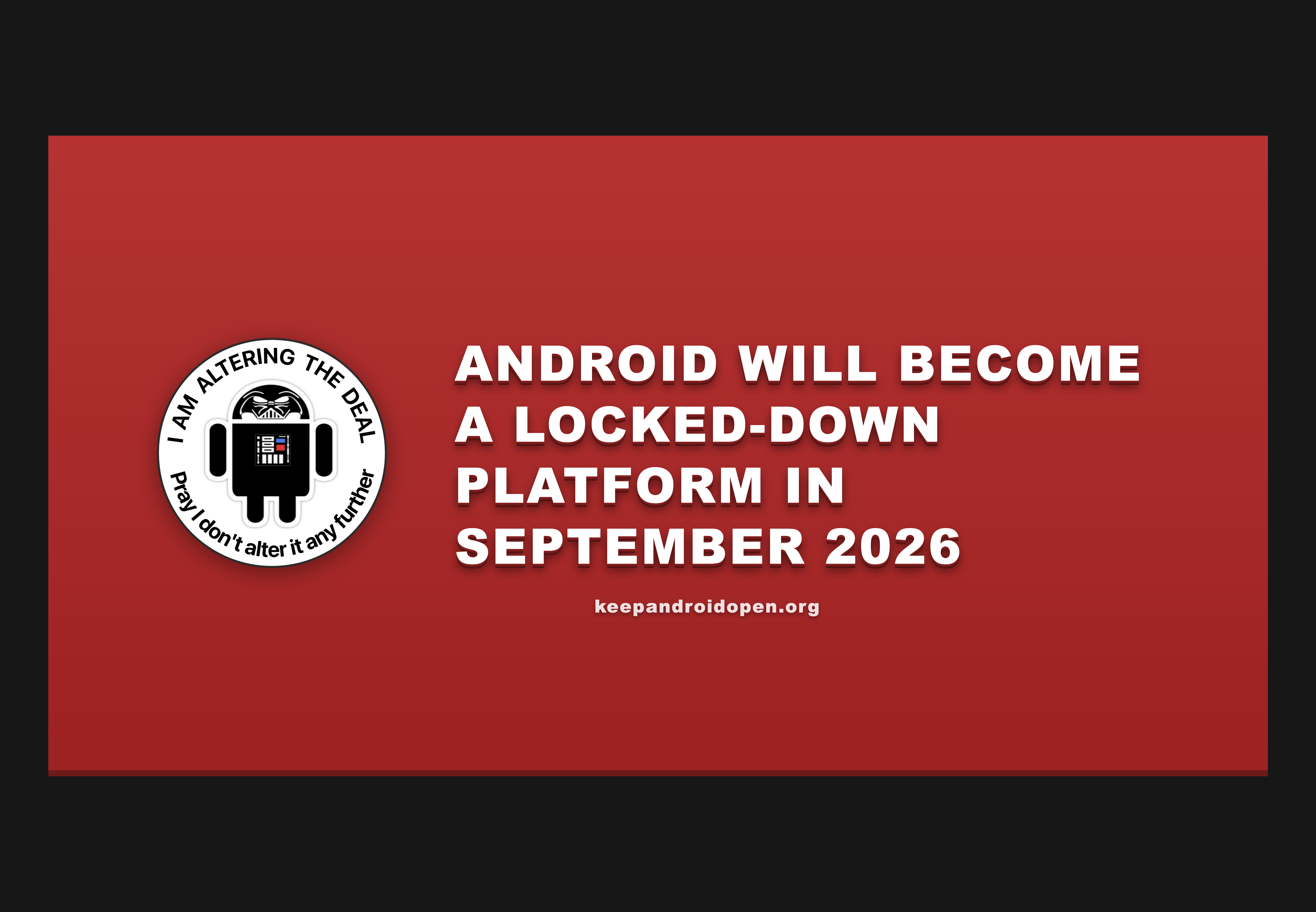
Keep Android Open
Advocating for Android as a free, open platform for everyone to build apps on.

Again, I don't know what the future holds, and I'm not a lawyer so I'm not going to speculate. If the situation deteriorates rapidly, I might do a followup video or post about it.

Why bother with privacy?

Because I'm not a defeatist. That's why. :)

GrapheneOS can help you retake your privacy, right now.

0
0
0
0
Open post
Veronica Explains (via Ghost) @veronica@veronicaexplains.net
· 7mo ago

Hi folks! I'm doing a livestream momentarily with friend of the channel Bob from RetroRGB. We'll be talking about Linux, switching to it, and whatever fun comes therein! Come join us!

https://www.youtube.com/watch?v=da8Wpcfl5Cw

Switching to Linux with @VeronicaExplains

0
0
0
0
Open post
Veronica Explains (via Ghost) @veronica@veronicaexplains.net
· 7mo ago

Patrons and Ko-Fi members just got the link to my new GrapheneOS video before it goes live to the general public. If you want to see it now, tiers start at just $1/mo USD and gets you access to my Matrix space (which is bridged to Discord if you want to use that).

https://patreon.com/VeronicaExplains
https://ko-fi.com/VeronicaExplains

patreon.com
0
0
0
0
Open post
Veronica Explains (via Ghost) @veronica@veronicaexplains.net
· 7mo ago

I took my website offline briefly last night because of the potential for a SQL injection vulnerability that hadn't yet been patched in the Docker version of Ghost. There was a delay of several hours between when the "traditional" version received the update, and when Docker got it.

https://github.com/TryGhost/Ghost/releases/tag/v6.19.1

GitHub

Release 6.19.1 · TryGhost/Ghost

🔒 Fixed SQL injection in Content API slug filter ordering - Fabien O'Carroll 🐛 Added explanatory message when linking to hidden/deleted comments (#26390) - Kevin Ansfield View the changelog for f...

0
0
0
0
Open post
Veronica Explains (via Ghost) @veronica@veronicaexplains.net
· 7mo ago

I think Ghost is going to suffice for me for a while. As such, I've "locked up" @vkc@linuxmom.net and disconnected unauthorized access. I won't be posting there at all, for now.

I'm going to give this three months and then re-evaluate whether Ghost can handle all of my posting needs. But I'm pretty sure I won't be going back to using Mastodon in any case. If I do go back to microblogging, I'd be considering a different model, and likely different software (GoToSocial or SNAC probably).

0
0
0
0
Open post
Veronica Explains (via Ghost) @veronica@veronicaexplains.net
· 7mo ago

While everyone's talking about Discord, friendly reminder that the Veronica Explains "Awesome Club" has always (from day one) been bridged to Matrix, and that's how I use it every day. Matrix isn't perfect, but nothing is.

Monthly sustaining members get access- it's where I hang out nowadays. Tiers start at $1/mo USD.

https://patreon.com/VeronicaExplains
https://ko-fi.com/VeronicaExplains

patreon.com
0
0
0
0
Open post
Veronica Explains (via Ghost) @veronica@veronicaexplains.net
· 8mo ago

First off, thank you SO MUCH for all of your support over the last week as I've built up this new blog/newsletter. I'm still in the "kick the tires" phase but things are going well.

My RetroTube faculty band, The Stop Bits, will be performing at the upcoming Vintage Computer Festival SoCal on February 14, 2026. If you ever wanted to hear four YouTubers (Action Retro, Taylor and Amy from The Taylor and Amy Show, and myself) perform novelty rock songs about vintage computers and putting Linux on increasingly weird machines, this show is likely the best opportunity for you to do that in the southern California area this weekend.

We will be giving away a few CD-Rs of our debut EP, Return from Interrupt, which is on Bandcamp if that's how you prefer to get music. We recorded the EP ourselves, and I mixed/mastered the whole thing (yes, on Linux). It's a ton of fun.

New email newsletter feature: subscription preferences

I am terribly afraid of spamming people's email with information they don't want. So, in an effort to provide more flexibility over subscribers' email preferences, I've created a few "subcategories" of newsletter posts, which you can subscribe to at your leisure:

  • Linux-y emails (posts about Linux tips/tricks, software I like, that sort of thing)
  • Retro/vintage computing emails (posts about Commodore/Amiga/vintage Apple/IBM-PC/etc)
  • Music emails (posts about the band mostly, but maybe I'll start talking about music I like, pedals I'm using, or how I record music)

If you already signed up for the default category, you have not been added to these lists. These are manual, opt-in features, because of the aforementioned terror I feel at the idea of spamming you.

So, going forward, the default category will only email out blog posts with an accompanying video, or other similar "big announcements." If you'd like the additional posts from me, sign in and hit "manage" in the account dialog.

Note: this only impacts email subscribers. RSS via Ghost, as far as I know, does not allow this level of segmentation, so you'll see everything I post publicly. My apologies.

So pumped for VCF SoCal this Saturday. Looking forward to seeing folks there!

thestopbits.net
0
0
0
0
Open post
Veronica Explains (via Ghost) @veronica@veronicaexplains.net
· 8mo ago

My RetroTube faculty band, "The Stop Bits", (me, Action Retro, and Taylor and Amy) will be performing at VCFSoCal on February 14. Details on the band website!

https://www.thestopbits.net/blog/vcfsocal-2026-announcement/

thestopbits.net

VCF SoCal 2026 announcement

The Stop Bits will be performing at Vintage Computer Festival SoCal on February 14, 2026.

0
0
0
0
Open post
Veronica Explains (via Ghost) @veronica@veronicaexplains.net
· 8mo ago

Still working on the website performance when JS is disabled. My apologies to those of you who don't like JavaScript- I *am* working on a custom theme but it's months away, in all likelihood. Some elements such as full-site search might always require JavaScript (I think that's a Ghost limitation).

In the meantime I've done some color resetting to black-on-white for users without JavaScript.

0
0
0
0
Open post
Veronica Explains (via Ghost) @veronica@veronicaexplains.net
· 8mo ago

I'm troubleshooting a few minor problems with ActivityPub on my end. I might delete this post in a few minutes, just to see what happens. Please bear with me!

0
0
0
0
Open post
Veronica Explains (via Ghost) @veronica@veronicaexplains.net
· 8mo ago

I already have a thousand folks following my Ghost blog via this account? <3

Thanks everybody! Here's hoping for a kinder, gentler experience in longer form content. :)

0
0
0
0
Open post
Veronica Explains (via Ghost) @veronica@veronicaexplains.net
· 8mo ago

Hi folks- I am aware that there have been some issues with signing up for the email list- some folks are being told they've been rate limited, even on their first attempt.

I suspect the issue has to do with email volume from the transactional provider (Mailgun), and I am currently working on a solution. Sorry all!

0
0
0
0
Open post
Veronica Explains (via Ghost) @veronica@veronicaexplains.net
· 4mo ago
tldr: I installed console-only Debian on an old laptop (no desktop OS at all) I added some packages to make it work better for writing: network-manager for connecting to hotspots while I'm away kmscon for custom fonts and more than 16 colors in the tty tmux for a nice status bar and rudimentary screen tiling, as well as acpi and light for battery and backlight details, respectfully neovim as my editor and vim-vimwiki to give myself a personal wiki syncthing to sync and backup my work I have an attention problem. A couple of weeks ago, I decided to convert my old laptop into a writerdeck, a dedicated writing device free from the distractions of the modern internet. Lots of folks build really elaborate offline devices for this, and I'd love to do that... someday. Right now I have no shortage of projects and the point is to get writing, so I used what I had: a six-year-old laptop which still runs great, has plenty of power, but isn't getting much use anymore. Crucially, this laptop has an excellent keyboard, and a matte screen, which makes it awesome to type on for long stretches, and functional enough in the daylight (I like to sit outside with my dog and write). It's also a System76 Galago Pro (not sponsored), which means it's already Linux friendly and has great support in the kernel. Setting up a tty instead of a desktop Now, you could certainly just use a regular desktop OS and keep it offline, although that's easier said than done. I don't think you can fully remove the browsers from a modern Mac or Windows PC. At least not in a supported way. Of course, I'm a Linux user, and I have any number of options. I could have gone with a simple desktop or window manager and just not installed a browser, but I wanted something that really broke the desktop OS muscle memory and forced me into thinking about my words with intention. I opted for a tty-based setup, using Debian (Trixie at the time of writing). Console only- no x11 or Wayland, no desktop getting in my way. Installing Debian is easy enough. I use the text-based installer mode, and for this writerdeck, I opted to skip full-disk encryption (there's nothing on this device that isn't going to be public anyway). Folks always tell me they get hung up on things because they don't set themselves up with sudo on Debian. If you're coming from Mint or Ubuntu or virtually any other desktop-oriented distro, this could trip you up. If you want to use sudo for admin tasks, skip adding a root password. That'll disable root and set you up as a sudo user. Leave this blank if you want to use a sudo user! A lot of folks don't know about this quirk and get into trouble if they're coming from other distros. On the desktop setup screen, I chose to remove all desktop features, because again, I want this thing to be a minimal device. Just me and the words, no GUI getting in my way. I removed the selection for "Debian desktop environment" and "GNOME" here. This way it's just a tty. When things wrap up, you'll be greeted with a bland console login. Perfect place to get started. It's boring. Perfect.Installing network-manager After signing in for the first time and making sure I was up-to-date with a quick sudo apt update and a sudo apt upgrade, I chose to replace the regular network stack with the network-manager package. Mainly to get access to the very good curses tool nm-tui for connecting to networks. nm-tui is a thousand times easier than editing config files for setting up network devices. And while I will be working mostly offline with this device when I'm away from home, I do appreciate the ability to connect it to the network to back up files should the need arise. After installing network-manager with sudo apt install network-manager, you can use nm-tui to scan for available Wi-Fi networks and get hooked up. Depending on your hardware, you might also have WAN access here. Pretty cool. Having a TUI for networking is a nice quality-of-life improvement. Installing neovim and kmscon I couldn't wait any longer, I installed neovim as soon as I could with sudo apt install neovim. I didn't want to edit with nano. Nothing personal, I'm just a vim user all the way now. Normally I use traditional vim but I opted for neovim as I'm trying to get to know it a bit more. Then, I installed kmscon, which for Debian Trixie needed to be added from backports. First, I updated my Debian source list by editing the file at /etc/apt/sources.list to add the following two lines: deb http://deb.debian.org/debian/ trixie-backports main contrib non-free non-free-firmware deb-src http://deb.debian.org/debian/ trixie-backports main contrib non-free non-free-firmware A quick sudo apt update and then I can simply run sudo apt install -t trixie-backports kmscon. This will install the kmscon package from backports, as well as its dependencies, and set it to automatically start on boot. Next reboot, you'll see the familiar tty, but now it's scalable with ctrl-plus and ctrl-minus, like most modern web browsers. From here, I have a totally functional writerdeck. I could be done here and be reasonably satisfied with an offline, pleasant writing experience. But I wanted a few more nicities which I've grown accustomed to. tmux for multiplexing and a pretty status bar Next, I installed tmux for basic terminal tiling and a pretty status bar. This is packaged for Debian (and virtually everyone else), and is installed with sudo apt install tmux. I also installed acpi for battery details, and light to control the screen backlight. You can install these at the same time with sudo apt install acpi light. I set these up in my .tmux.conf file, which is kept in your home directory. Here's how I used them. ACPI for battery readouts Once the acpi package is installed, you should be able to see your battery with acpi -b (assuming your laptop has a battery which is detected with acpi, which has worked so far on every laptop I've tried in my house). So, to get the specific percentage and nothing more, you can pipe acpi -b into grep like so: acpi -b | grep -m1 -o -P '.{0,2}%' This grep is a bit hard to understand, so let's break it down: -m1 says stop reading the file after one line. I did this because some laptops I've used have multiple batteries, and I only care about the primary battery. You can probably leave this out if acpi -b only returns a single line.-o prints only the matched parts of the line. I don't want a large printout with the remaining time. You might!-P interprets the pattern as a Perl-compatible regular expression. Then '.{0,2}%' gets us the percent sign and the two numbers preceding the percent. (This won't show "100%" but I can live with that, because this laptop doesn't get there anymore.) I wanted to replace the default details in the tmux status bar with a battery readout, so I do so with the following in my .tmux.conf: # give me a battery readout instead of the time set-window-option -g status-right "#(acpi -b | grep -m1 -o -P '.{0,2}%')"Light for brightness Next, we can use the very simple light command we installed earlier to control the brightness. On my laptop, F8 and F9 have brightness indicators printed on the keys, so it's a perfect fit. light -U 10 decreases the brightness by ten percent, and light -A 10 increases it. So, to bind F8 and F9 to decrease/increase brightness control, I simply add this to my .tmux.conf: # keybinding for brightness bind -n F8 run-shell 'light -U 10' # decrease bind -n F9 run-shell 'light -A 10' # increase Now, next time I start tmux, I'll have brightness controls. Very neat! Additional tmux customization Lastly, I like the status line for tmux at the top of the screen, because neovim puts a status line at the bottom of the screen. That's achieved by adding set -g status-position top to the .tmux.conf file. Also, I have a habit of specifying the color. I think it's green by default but I set it anyway (I might change it in the future, who knows) with set -g status-style bg=green. So, my final tmux.conf looks like this: # bar position and color set -g status-position top set -g status-style bg=green # keybinding for brightness bind -n F8 run-shell 'light -U 10' # decrease bind -n F9 run-shell 'light -A 10' # increase # give me a battery readout instead of the time set-window-option -g status-right "#(acpi -b | grep -m1 -o -P '.{0,2}%')" This isn't a tmux lesson, but by default, to do a split, you use Ctrl-B to break out of regular mode and into the tmux command mode, and then the % key to split vertically, or " to split horizontally. Ctrl-B, then an arrow will move your focus between panes. Someday, I'll do a formal tmux lesson. Moving on! neovim and vimwiki I know a lot of folks won't want to use neovim or vim, opting instead for emacs or helix or micro or nano or blammo or something else I didn't mention (but someone's about to). That's great. I'm happy for you. I'm a vim user though, so that's what I set up. neovim includes some reasonably great colorschemes which you can try out with the :colorscheme option. I chose blue, which fit my retro vibe just fine, but you could pick anything you want or even write one yourself from scratch. I added that to my .config/nvim/init.vim file with colorscheme blue, and I also added set linebreak so that way words would wrap to the next line (I don't normally do this on my desktop but this thing's one job is writing). Lastly, I set up vimwiki, which I already covered in a separate blog post. The only thing that's changed is instead of installing vimwiki with a plugin, on Trixie it's packaged, so you can install it with sudo apt install vim-vimwiki. Installing Syncthing I set up syncthing according to the Syncthing docs, which are pretty good and I won't repeat those too much here. I set up syncthing to connect my writerdeck's vimwiki folder to my server's writing folder, which is a subdirectory inside another, more private vimwiki setup. I do it this way so that if there's sensitive notes in my desktop vimwiki, they don't sync to the writerdeck. If I had encryption on this device, I wouldn't mind that though, and I might set up password-based LUKS encryption just to gain access to my vimwiki diary on the writerdeck. The one place where I strayed from a stock syncthing setup is that because I don't have a desktop with a traditional browser, I had to set my syncthing web GUI to be listening on all addresses instead of just 127.0.0.1. I don't love this approach, but again, this thing has nothing private on it. A better way would be to set up a SOCKS proxy and connect that way, but that's a topic for a future post. Setting it up to autologin The last thing I did to make this writerdeck my own was to set up automatic login. I want to be able to open this up and start writing quickly- autologin is a simple way to get there. Autologin with kmscon Because I installed kmscon, this is pretty easy, just update the (gasp) systemd service with sudo systemctl edit kmsconvt@tty1.service. Then, I just added the following: [Service] ExecStart= ExecStart=/usr/bin/kmscon --login -- /bin/login -f my_username_goes_here This tells kmscon to start what comes after the -- after --login. In my case, that's the default /bin/login program with the parameter -f and then my username. Launching tmux on boot After kmscon signs me in, I want tmux to automatically launch into vimwiki. But only if I'm on the main tty (the default virtual terminal). I can do this easily by adding a small bash if/then to my .bashrc: # Launch tmux if we aren't already running tmux and we're in the default tty if [ -z "${TMUX}" ] && [ $(tty) == "/dev/pts/0" ]; then exec tmux new-session -d 'vim -c VimwikiIndex' \; attach fi This works by checking to make sure we're not in tmux already (which would be recursive and bad), and it also makes sure we're in the first virtual tty. If those two conditions are met, then it launches a new tmux session with the command vim -c VimwikiIndex (which tells vim to connect to the Vimwiki index). It then attaches to that session. After using it for a few projects, I love it. I've had this thing going for a week or so now, and I've used it to write this blog post, the script for the companion video, and another future script I'm working up right now. And it's awesome. I may extend this idea with a spell checker, or perhaps set up a "writerdeck terminal" in my workspace using an old 486, to really bring myself back to a more intentional experience (with an even better keyboard!). The point is to write more, and to be less distracted doing so. I have always struggled immensely with the fact that the browser nags at me. I get notifications about apps needing my attention. My music player tells me the next song we're playing. It's all very convenient, and very distracting. I'm trying to be more intentional with my tech choices. I want devices that do one thing really well, and that when I'm done with that one thing, I can put them away, and do something else. I don't want everything to follow me around everywhere. If that's you, maybe you would benefit from a writerdeck. For me, it's been great. :)
deb.debian.org

Index of /debian

0
0
0
0
Back
313k7r1n3
Elektrine

Tor hidden service

elekhj7afj4qnrr4yd3bkzslsyo5jgfxw3orgjkhlcxifueodybyiiad.onion

I2P eepsite

j6b6cyk6gjmepjih7jjadxgxvvf3lzzujljuu2v4biemzpg3naya.b32.i2p

Platform

  • Email
  • Chat
  • Timeline
  • VPN
  • DNS

Company

  • About
  • Contact
  • FAQ
  • Lite (no JS)

Legal

  • Terms of Service
  • Privacy Policy
  • Transparency Report
  • Report Abuse
  • Warrant Canary
  • VPN Policy

Support

  • support@elektrine.com
  • Report Security Issue
Mail client setup IMAP mail.elektrine.com:993 POP3 mail.elektrine.com:995 SMTP mail.elektrine.com:465
© 2026 Elektrine. All rights reserved. Server: 08:40:47 UTC