Remote
SocialistVibes01
@SocialistVibes01@lemmy.ml
“Leave this Europe where they are never done talking of Man, yet murder men everywhere they find them, at every corner of their own streets, in every corner of the globe.” --Franz Fanon
0 Followers
0 Following
50 Posts
Joined April 30, 2026
Talk of AI in KDE sets the community ablaze
Graham sounds more and more like a grifter. Is KDE slowly doing the walk towards evil?
A proposal to make KDE an “AI-native” desktop has gone down like a house on fire: screams, flames, people running for safety. There may be no survivors.*
Last weekend was KDE’s annual Akademy conference and it included a presentation proposing an AI-native KDE. We noted that it seemed likely to polarize the audience. It looks like this was a considerable understatement.
In the days since, a debate over proposed restrictions on LLM-assisted contributions descended into bans and a deleted thread. An outside campaign called for KDE to prohibit AI altogether, a GNOME developer proposed a similar policy for that project, and KDE developer Nate Graham apologized for his role in the uproar.
The Akademy talk was titled “A lovable, sovereign, AI-native KDE” and the slide deck [PDF] is now available. It ends by saying: “The question is not whether AI. It is how. You choose how much AI – and which.”
It seems almost calculated to provoke an argument rather than invite discussion. We do not know if the authors intended this – we attempted to contact both of them, but they have not yet responded.
Graham opened a discussion on Invent, KDE’s GitLab instance, about proposed restrictions on LLM-assisted contributions. Although we are not a member, we watched this with some interest over the weekend. It rapidly became heated. Moderators issued warnings, restricted further comments, and eventually removed the thread.
There is an archive of the discussion, but we warn you, it contains some highly offensive language, albeit censored by the member who quoted another member’s tweets on X. As events unfolded, the participant who drew attention to the posts was banned first. The author of the offensive material was banned later after their identity was verified.
The discussion is gone, but the argument continues.
One response was an outside initiative called KDE for People, which called on the KDE project to adopt a No-AI policy. Around 250 people signed it before its organizers closed it to further signatures.
GNOME developer Jordan Petridis has also published The GNOME LLM Policy That I Want, proposing that LLMs be barred from creating or modifying anything submitted to GNOME or hosted on its infrastructure.
This mentions the recent ballot on AI usage in Debian. We reported on the developer referendum about a month ago, noting that the broad spread of anti-AI options in the ballot was likely to split the vote. (This likelihood was dismissed in the comments.) Well, as The Register’s Asia-Pacific desk reported a few days later, Debian did not ban AI contributions.
Graham subsequently explained his involvement in a post titled KDE and AI, and you, and me. He opens by saying: “So I accidentally triggered an online shitstorm in the process of trying to craft a set of more restrictive LLM usage guidelines for KDE. Sorry about that.”
He notes that the Akademy talk met “what I’m told was a fairly chilly reception” and that “the next day, a workshop was held about the topic, also receiving a chilly reception.”
Every couple of years, the KDE project sets three goals for the next two years. Earlier this week, after Akademy, it chose its latest three: you can see them in the last column of the goal-setting Kanban board. The ones chosen are:
KDE for Enterprise and Deployments (Issue #5)
Better documentation (Issue #2)
Next Generation Styling for KDE (Issue #3)
We see no mention of AI in there. In context, that may come as a relief to parts of the community.
Bootnote
*A tip of the black Borsalino to the late great Terry Pratchett, for two different “house on fire” references we combined. ®
Open post
Canonical Beefs Up Security for Ubuntu 26.10 with Slimmed-Down GRUB, Linux 7.3
Canonical is about to release its interim version of Ubuntu, the Stonking Stingray, a.k.a. Ubuntu 26.10, and they are doubling down on security with the upcoming Linux 7.3 kernel series, a slimmed-down GRUB bootloader, and more.
Ubuntu 26.10 (codename Stonking Stingray) is scheduled for release next week, on October 15th, 2026, with the latest and greatest GNOME 51 “A Coruña” desktop environment, the unreleased Linux 7.3 kernel series (yes, Ubuntu 26.10 will ship with an RC (Release Candidate) kernel), OpenSSL 4.0, OpenSSH 10.5, and Rust-based core utilities.
To beef up security, Canonical implemented a signed, slimmed-down GRUB bootloader with a reduced attack surface, TPM-backed encryption support on machines that don’t have a hardware root of trust, and dbus-broker as the default message bus with AppArmor mediation intact, using an event-driven architecture with better accounting, reliability, and scalability.
On top of that, Ubuntu 26.10 will ship with ntpd-rs, a memory-safe time daemon that will be enabled by default in Ubuntu 27.04, certificate revocation with upki, authd support for MS MFA and identity-provider-based accounts, hardware-token VPN sign-in support in NetworkManager, and on-device speech recognition powered by AI.
“Ubuntu 26.10 introduces Myna, a desktop speech-to-text feature. It’s designed to bring cutting-edge accessibility, without compromising security,” said Canonical in a blog post. “Myna performs speech recognition locally through an inference snap. Once the required models are installed, dictation works without an internet connection.”
Linux kernel 7.3, which will be released later this month, will also bring numerous updates to the Landlock, AppArmor, SELinux, and Smack security modules for Ubuntu 26.10, along with TPM driver updates and BPF verifier fixes to prevent pointer leaks on speculative execution paths, NTFS3 security hardening, memory-safety fixes, and Rust support for PowerPC.
Last but not least, Canonical doubles down on firmware updates via fwupd, which now asks for a recovery key only when the running system uses TPM-backed encryption and a firmware update could affect the measurements used to unlock the disk, instead of prompting unnecessarily on systems where the update doesn’t affect the TPM-backed unlock policy.
As mentioned before, Canonical plans to release Ubuntu 26.10 (Stonking Stingray) on October 15th, but if you’re eager to try it right now on your personal computer, you can download the beta release. However, please keep in mind that it’s a pre-release version, not suitable for use in production environments.
1
10
0
0
Open post
Raspberry Pi OS Updated with Battery and Squeekboard Dock Widgets
Today, the Raspberry Pi project released today an updated version of its Debian-based Raspberry Pi OS distribution for Raspberry Pi single-board computers with new features, improvements, and bug fixes.
Based on the latest Debian 13 “Trixie” operating system series and powered by Linux kernel 6.18.50 LTS, the new Raspberry Pi OS release ships with battery and squeekboard widgets for the new dock, support for automounting encrypted drives, Control Centre debug code, and new, better-quality Raspberry Pi menu icons.
The updated Raspberry Pi OS also adds tooltips to indicate the function of widgets in Control Centre’s Widget panel, a new color for inactive window titlebars to match window backgrounds, and a hook to update the list of shortcuts in Control Centre’s Shortcuts panel when the defaults are reloaded.
On top of that, the Screens panel in Control Centre has been updated to apply system file changes immediately on confirmation rather than when closed, and setting the size of the taskbar and dock, and the location in Control Centre now automatically sets desktop top and bottom margins appropriately.
Furthermore, the Main Menu will now only reload on cache update rather than before opening, the screen lock button was removed from shutdown options, the old source for standalone control panel applications was removed, and switching between taskbar and dock layouts no longer resets the system appearance.
Numerous bugs were fixed in this new Raspberry Pi OS release to improve various functionality, such as the PCmanFM right-click option to open a terminal from the file manager, dropping files onto list views in the file manager, menu shortcut keys, panel pop-up windows, and local PCmanFM automount configuration overriding global settings.
Also fixed are issues with system tray icons not displaying correctly on scaled screens or being hidden, an icon menu crash, swaybg desktop wallpaper files not loading, panel menus displaying off-screen, icon menu category view crash, a hotplug crash in the panel when no monitors were detected, and a crash when updating notifications.
The new Raspberry Pi OS release also fixes possible segfaults on various Control Centre panel initialisation functions, LibreOffice icons in launchbar sticking after close, keyboard activation of top-level menu item not closing the menu, and application pop-up menu text in new window list containing literal markup.
Last but not least, the updated Raspberry Pi OS release fixes a GTK4 colour representation manager reporting error, window count digits not shown correctly on new task list in Japanese locale, as well as an issue with opening of windows when mouse forward and back buttons were clicked in the file manager’s list view.
You can download the Raspberry Pi OS 2026-10-06 release right now from the official website for all supported Raspberry Pi models, including Raspberry Pi 1A+, 1B+, 2B, 3B, 3B+, 3A+, 4B, 400, CM1, CM3, CM3+, CM4, CM4S, Zero, Zero W, and Zero 2 W.
Existing Raspberry Pi OS users can update their installations by running the sudo apt update && sudo apt full-upgrade commands below in a terminal emulator or by using the built-in graphical package updater. If your system is up to date, you’re running the latest Raspberry Pi OS version.
1
0
0
0
Open post
Solus Linux Adopts Formal AI and LLM Contribution Policy
Solus Linux has announced a new policy on using AI and large language model tools in project contributions, explaining where these tools can and cannot be used.
The Solus team says developers can use AI to help with contributions, but they must take full responsibility for their work. Anyone submitting code or package changes needs to test them first. If AI was used, the commit should include an ‘Assisted-by LLM’ note. Only developers, not automated bots, can submit contributions.
“Contributions to Solus that were made with AI/LLM tools are allowed, as long as they follow our policy.”
Solus explains that the policy helps keep the operating system high-quality and easy to maintain. Since many people use Solus every day, contributors need to check and understand their submissions, not just share code made by AI.
However, the rules are stricter for written content. Solus does not allow any AI-generated or partly AI-generated material in its blog or official communications.
The team warns contributors not to hide their use of AI tools. If someone tries to cover up AI involvement, their work could be rejected, and they might be blocked from future contributions. Solus adds that the goal is to encourage open teamwork, not to watch every detail of how people work.
Solus says its new rules are based on the Budgie Desktop AI policy, which itself takes ideas from projects like the Linux kernel and Fedora. Still, they’re leaving the door open as the team also points out that this policy may change as AI tools become more common in software development.
For more details, see the official Solus announcement.
54
13
0
0
Open post
GNOME 51 Released With Improved Frame Scheduling, Many App Improvements
Right on schedule and in time for appearing in the likes of Ubuntu 26.10 and Fedora Workstation 45, the GNOME 51 desktop is officially released.
GNOME 51 debuted today with many nice improvements to Mutter for bettering the desktop responsiveness and a smoother experience with improved frame scheduling.
There are also new Wayland protocols supported (such as ext-background-effect-v1) and other optimizations there, including removal of legacy NVIDIA driver support with EGLStreams. Mutter also now has support for custom pointer acceleration profiles.
GNOME 51 on Fedora 45
GNOME 51 also brings a number of settings improvements, offline map support for GNOME Maps, faster startup of GNOME Software, the GNOME Calendar is also faster now too, and the GNOME File Previewer has a complete UI revamp.
Many more details on all the interesting changes to find with the GNOME 51 desktop can be found via today’s release notes on GNOME.org.
91
9
0
0
Open post
Replying to
circumstances.run/…/117322654185564343
19
17
0
0
Open post
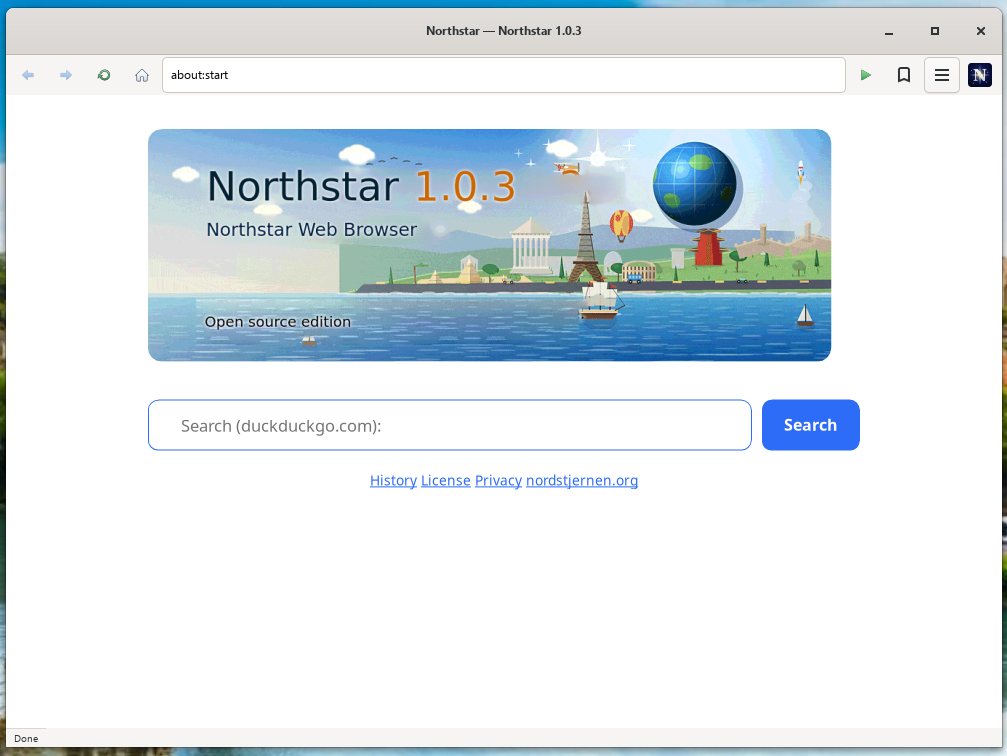
Northstar is the free-software web browser of the Nordstjernen projec
Northstar is a minimalist web browser written from scratch in C. One window, one page, one process — about 160,000 lines of original C, small enough for one person to read and audit end-to-end. It carries no upstream browser engine: no Gecko, no WebKit, no Blink. It is free software under the GNU General Public License, version 3 or later, and it runs on Linux, macOS and Windows — on Windows from the Microsoft Store.
Northstar Browser version 1.0.12 released! A sunny ark comic on about:start, a classic Mozilla-style toolbar with address-bar suggestions, relayout and repaint that only redo what changed, popovers per the HTML standard, the Microsoft Store package, an 8 MB engine stack, and a build on Fabrice Bellard’s original QuickJS
1
6
0
0
Open post
NVIDIA's Results Of Conducting Wayland vs. X.Org Latency Testing
In addition to NVIDIA announcing their Display Config Server project at XDC 2026 in Toronto, at this annual developer’s conference they also presented their findings on scientific testing of X.Org vs. Wayland latency.
X.Org vs. Wayland latency across different compositors and desktop environments has been a heated topic among passionate Linux desktop enthusiasts. Some argue in favor of classic X.Org delivering the lowest latency while others routinely share their own personal anecdotes and argue in favor of modern Wayland solutions. NVIDIA engineer Kamil Łysik took to a Wayland vs. X.Org latency comparison from key press to presentation. For ensuring accurate measurements, a micro-controller was used along with a light sensor for end-to-end measurements. Paired with software for repeatable and automated testing.
Testing with a NVIDIA GeForce RTX 5070 graphics card and using the company’s R610 driver branch, tests were done on KDE KWin 6.7.4 and GNOME Mutter 49.7 and the X.Org Server tests using v1.21.1.24.
NVIDIA latency Wayland vs. X.Org results
NVIDIA’s findings were that the latency results between X.Org and Wayland are very close with it being hard to conclude a clear winner. Some notable takeaways include that XWayland no longer introduces extra frame delays where it had in the past with an extra frame latency. Variable Refresh Rate (VRR) was also measured to “drastically improve” responsiveness and deliver roughly the same latency between both X.Org and Wayland based sessions.
Those interested can find the NVIDIA presentation this X.Org vs. Wayland latency topic embedded above.
1
5
0
0
Open post
Steam On Linux Dives Down To 3.05% For September
Steam on Linux use in March hit an all-time high of around 5.33% marketshare. Since then it pulled back to around 4% while for September 2026 the Steam Survey results are now in and it’s clocking in just above 3%.
The Steam Survey results for September that were published this evening indicate a rather steep decline of 0.85%, down to 3.05%. Meanwhile macOS is at 1.92% and Microsoft Windows at 95%.
As with most months where Steam Survey indicates an abnormally large decline for Linux use, the second stop is checking on the language use… Once again a case of a big spike in Simplified Chinese use. Steam’s Survey reports a 7.42% increase in Chinese use, up to 31.39% overall of the Steam population. Usually with those large month-over-month swings where Steam China use shoots up dramatically is a boost to Windows and a detriment to Linux. Some attribute the large increases in Simplified Chinese use to being a reporting/sampling issue.
When diving into the Steam Linux data exclusively, CachyOS has spiked by another 2.65% to now account for 18.12% of the sampled Linux gaming population. That even outperforms SteamOS Holo coming in at 17.37%.
Among Linux gamers on Steam, AMD CPUs still account for the high 60 percentage space thanks to the Steam Deck and Steam Machine using AMD APUs and their open-source/Linux support being popular with enthusiasts.
Those wanting to dive in to all the Steam Survey stats for September can find the fresh data on SteamPowered.com.
1
16
0
0
Open post
Kagi Ends Orion Browser Development for Linux, Will Open-Source It
Kagi has announced it will stop developing the Orion Browser for Linux and Windows, ending its direct work on these platforms. The good news is that instead of dropping the project, the company plans to open-source both versions so other developers or organizations can keep them going.
For Linux users, this is a big shift for a browser that had just started to show real promise. Orion first came to Linux in early alpha at the start of the year, then officially entered beta in August.
Now, only a few months later, Kagi says the current Linux Beta will keep working, but it will stop getting updates from the company after October 2, 2026. Kagi also warns users not to use the beta as their main browser. The main reason is limited resources.
Kagi says only a small team of developers works on Orion, and the project is funded entirely by Kagi users. Expanding Orion beyond Apple platforms was always a big challenge, especially since the company chose not to use Chromium as its base.
Instead, Orion uses WebKit, which makes it one of the few browsers trying to offer an alternative to the many Chromium-based ones.
Kagi says that keeping a browser running on multiple platforms usually requires either a lot of funding or a big open-source community. Since Kagi has neither, it will now focus its limited resources on Orion for macOS and iOS.
The work done on Linux and Windows will be released as open source instead.
Kagi plans to publish the source code for both versions and share more details within 30 days of the announcement. The company has also reached out to open-source foundations and organizations about possibly taking over the projects in the long term.
However, Kagi makes it clear that it does not plan to be the main maintainer of either open-source project. Any future updates will depend on developers or organizations willing to take over the code.
In short, Orion for Linux’s future depends on what happens after the source code is released and whether a community forms to maintain it. For now, the current beta still works, but without future security updates or maintenance from Kagi, it likely won’t be a good daily browser for long.
For more details, see the official announcement.
1
3
0
0
Open post
Windows 11 is failing as an operating system
Timestamps:
00:00 Intro
00:46 Sponsor: TuxCare Radar
02:23 Windows 11 is failing right now
05:20 What’s the job of an OS?
06:51 Updates break systems. Often.
10:53 You have to adapt to it
15:14 It’s highly intrusive
17:44 Debloating tools don’t make it good
20:19 Windows fails at being an OS
21:33 Alternatives are better, but not perfect
27:23 Windows is a sales platform, not an OS
1
23
0
0
Open post
Replying to
The Lenovo, only because the price is similar to Dell’s with more RAM.
9
0
0
0
Open post
Firefox Gets (too) Rounded, Flatpak for CLI & Dev tools, Ubuntu does tiling now - Linux Weekly News
Timestamps:
00:00 Intro
00:30 Sponsor: Proton Mail
01:23 Ubuntu 26.10 beta released
03:58 Ubuntu 24.04 to 26.04 upgrade now possible
05:14 Toolpak introduced as the Flatpak for dev tools
08:24 F-Droid launches full rewrite of the app
10:00 Firefox 157 adds the new Nova theme
12:33 Igalia working on Firefox for SteamOS
14:35 PostmarketOS changes name
16:11 Dev proposes that GNOME accepts Al contributions
18:10 Ubuntu 26.10 has an image for Snapdragon laptops
19:33 New minimalist FOSS web browser
21:55 Meta found guilty of lying on data protection and moderation
24:15 Sponsor: Tuxedo Computers
Links
Ubuntu 26.10 beta released
www.omgubuntu.co.uk/…/ubuntu-2610-beta-released
Ubuntu 24.04 to 26.04 upgrade now possible
omgubuntu.co.uk/…/ubuntu-2604-upgrades-live-2404
Toolpak introduced as the Flatpak for dev tools
blogs.gnome.org/alatiera/…/introducing-toolpak/
F-Droid launches full rewrite of the app
arstechnica.com/…/f-droid-gets-its-biggest-update…
Firefox 157 adds the new Nova theme
linuxiac.com/firefox-157-nova-released-with-its-b…
Igalia working on Firefox for SteamOS
www.phoronix.com/news/Steam-Deck-Better-Firefox
PostmarketOS changes name
nura.eco/blog/2026/09/27/nura-rename/
Dev proposes that GNOME accepts Al contributions
arunraghavan.net/…/on-llms-and-free-software/
Ubuntu 26.10 has an image for Snapdragon laptops
www.omgubuntu.co.uk/…/ubuntu-2610-snapdragon-x2
New minimalist FOSS web browser
blancbrowser.com
Meta found guilty of lying on data protection and moderation
www.santafenewmexican.com/news/local news/new-mexico-wins-second-suit-against-meta/articlee4a95a15-5303-473d-9005-fdedb1ebd619.html
reuters.com/…/new-mexico-wants-meta-pay-up-40-bil…
1
4
0
0
Open post
Replying to
Don’t sleep on Dell Latitudes.
9
6
0
0
Open post
Ubuntu 26.10 ships with a Rust-based OpenPGP - OMG! Ubuntu
Surprisingly, it’s LGPL v2.
The Sequoia PGP is part of the default seed, with the sq package in the main repo and officially supported. It’s said to provide a “modern, and memory-safe OpenPGP implementation”.
Ubuntu isn’t making Sequoia the distribution’s default OpenPGP toolchain. It ships preinstalled, but lives alongside the standard implementation.
However, the goal is to make Sequoia PGP Ubuntu’s default in the near future, with sq and sqv replacing gpg and gpgv.
For now, gpg will still invoke GnuPG, while sq (or an app configured to use Sequoia’s libraries) calls on Sequoia. Users can run e.g., sq sign or sq verify instead of gpg from the command line to try it too.
Canonical says adopting Sequoia will enable Ubuntu to maintain OpenPGP interoperability while benefiting from a “more maintainable and memory-safe foundation”.
It’s not the only Rust-related change in the new Ubuntu release, either. Ubuntu 26.10 ships a full set of Rust-based core utilities out-of-the-box, completing work that began in 25.10. GNU-versions of cp, mv, and rm are now provided by uutils.
Canonical’s engineers plan to ‘oxidise’ more foundational packages in future releases. A Rust rewrite of the Network Time Protocol (NTP) being eyed for inclusion as the default time sync client in Ubuntu 27.04.
The company is also a gold sponsor of the Trifecta Tech Foundation, paying €40,000 a year to help fund work on Rust software.
1
2
0
0
Open post
OpenMandriva ROME 26.09 Released With Linux Kernel 7.2, Plasma 6.7
OpenMandriva has published refreshed installation images for ROME, its rolling-release edition, combining the distro’s current software stack in the new 26.09 snapshot.
OpenMandriva ROME 26.09 ships with Linux kernel 7.2 by default, while kernel 7.3-rc4 is also available for users who want to test the upcoming series. The distro also provides kernels in both Clang-compiled and GCC-compiled variants.
On the desktop side, KDE Plasma has been updated to 6.7.5, accompanied by KDE Gear 26.08.1 and KDE Frameworks 6.29. GNOME users get version 50.3, while LXQt moves to 2.4. Xfce remains on the 4.20 series, and MATE 1.28 now includes an experimental Wayland session.
The repositories also contain newer releases of Hyprland, COSMIC Desktop, Niri, Sway, i3, IceWM, Qtile, and several other window managers and desktop environments.
Under the hood, a significant change is the move to RPM 6.1. OpenMandriva has extended it with an optional %pgo section for spec files to simplify Profile-Guided Optimization when building packages. Several packages already use this feature alongside broader Link-Time Optimization.
The development toolchain has also moved forward. LLVM/Clang 23.1.2 is now the default compiler, GCC has been updated to 16.2, and the distribution ships glibc 2.44.
Graphics support comes with Mesa 26.2.3 and ROCm 10.0, including patches aimed at extending ROCm support to older Radeon GPUs. For NVIDIA hardware, the open NVIDIA kernel module has been moved directly into the kernel, avoiding situations where it becomes out of sync after kernel updates. The proprietary driver has meanwhile been updated to version 610.57.
Interestingly, another notable addition is Snap support. OpenMandriva already supports Flatpak with Flathub enabled and AppImage, but users can now install snapd from the repositories. The project stresses that native RPM packages remain its preferred format due to tighter system integration and reduced duplication.
The Plasma and LXQt editions have a new default browser. Helium 0.17.2 replaces ungoogled-chromium and is based on that project, restoring selected Chromium functionality without reintroducing Google services. OpenMandriva has adapted Chromium Embedded Framework to use Helium, allowing OBS Studio to use a CEF plugin based on the browser.
For gaming, ROME 26.09 includes Wine 11.18 with WoW64 support, Proton 11, DXVK 3.0.2, vkd3d 2.0, and vkd3d-proton. The Steam installer available through the non-free repository has also been updated to version 1.0.0.86.
Moreover, the release brings Qt 6.11.2, GTK 4.22.5, PipeWire 1.6.9, FFmpeg 9.0, GStreamer 1.28.6, Firefox 156, Thunderbird 155, LibreOffice 26.8, GIMP 3.2.4, Blender 5.2.2, and Krita 6.0.4, which has now moved to Qt 6.
OpenMandriva has also expanded the selection of local AI software available from its repositories, including Ollama, llama.cpp, Whisper.cpp, Stable Diffusion.cpp, ComfyUI, KoboldCpp, Aider, and several other tools. Many use the system-wide GGML library with GPU acceleration through ROCm, Vulkan, or OpenCL.
For additional details, see the announcement.
The refreshed ROME 26.09 images are available in Plasma X11, Plasma Wayland, and GNOME Wayland editions, with community-maintained LXQt, MATE, and Xfce spins also offered. Plasma and LXQt images are available for regular x86_64 systems as well as optimized znver builds for AMD Ryzen processors. An AArch64 server image is available too.
One exception is COSMIC Desktop: a ROME 26.09 COSMIC installation image was held back because of an issue with the login manager. Existing COSMIC users can continue updating normally, while new users can install it from the repositories.
1
1
0
0
Open post
Flatpak 1.18.4 Released With Fixes for Six Security Vulnerabilities
Flatpak 1.18.4 has been released as a security-focused update to the popular application sandboxing and distribution framework for Linux, addressing six newly disclosed vulnerabilities along with several related hardening improvements.
Among the most important fixes is CVE-2026-97024, which could allow a malicious Flatpak application during installation to overwrite arbitrary files with either an empty file or a symlink. A related issue, CVE-2026-97023, could be abused to delete arbitrary files with elevated privileges.
The release also fixes CVE-2026-97025, an issue affecting authenticated OCI repositories. Flatpak now ensures authentication tokens used when downloading applications or runtimes are not exposed to other local users. CVE-2026-97026 is addressed by restricting permissions on temporary repository directories under /var/tmp/flatpak-cache-*.
Another fix, tracked as CVE-2026-97027, introduces stricter filtering of .desktop and D-Bus .service files against an allowlist of permitted fields. According to the developers, this prevents denial-of-service scenarios as well as unintended interactions with services running on the host system.
Flatpak 1.18.4 also resolves CVE-2026-97029, which could allow an application to send signals to a process group containing a parent process outside its sandbox. In certain circumstances, this could result in denial of service by terminating the user’s desktop environment.
Beyond those six vulnerabilities, the update refreshes the bundled xdg-dbus-proxy fallback to version 0.1.9, fixing CVE-2026-93676 and CVE-2026-94422. Flatpak also received additional protection against symlink traversal related to CVE-2026-97023 and CVE-2026-97024.
Finally, given the number and nature of the security fixes included, users are advised to install the update as soon as it becomes available through their Linux distribution’s repositories.
For more details, see the changelog.
1
0
0
0
Open post
NVIDIA Developing "Display Config Server" To Improve Linux/Wayland On Display Walls
As an initiative from NVIDIA for improving the Linux ecosystem outside the world of AI, they have been developing Display-Config-Server as a new solution to help enhance the Linux capabilities for complex display walls.
NVIDIA engineer Austin Shafer presented this morning at XDC 2026 Toronto around Linux on next-generation display walls: complex display setups appearing in TV production, theaters, and more. Many of these complex display walls today run on Microsoft Windows while NVIDIA is looking to improve Linux usage for such video/media walls.
The display walls running Linux today are typically on the X.Org Server still and making use of NVIDIA Mosaic display features. Using Wayland on its own for such display walls becomes more challenging due to the different compositors and other complexities. There is a path forward though using Vulkan Direct 2 Display “D2D” with the VK_KHR_display extension to let the Vulkan swapchain drive a physical display without any windowing system.
NVIDIA decided to engineer the Display Config Server to improve the Vulkan direct-to-display model by “owning” the displays and then leasing them out to Vulkan clients to avoid the need for every application to contain logic for handling display calibration and configuration. Display Config Server makes for centralized configuration, seamless handoff between clients, and making it easier for applications to implement.
The XDC 2026 presentation shared that NVIDIA is working to support the Display Config Server to run nested with a Wayland compositor. They are also working to improve how the Vulkan direct-to-display API can present on display walls.
The Display Config Server code is to be open-source via this GitHub repository but as of writing doesn’t appear to be yet publicly available.
Those wishing to learn more can see this PDF slide deck and the video embedded above.
1
1
0
0
Open post
Codenotary Expands Its No-Strings-Attached Linux Security Deal - FOSS Force
1
1
0
0
Open post
AlmaLinux Puts Software Certification in the Hands of Users
For the first time, there’s a way to carry out software certification on AlmaLinux, and the hardware suite has been rewritten alongside it, with test results from either certification path landing in the same public catalog.
Don’t worry about the cost to validate or the uptime of the machine itself. Certifications are free, and the hardware checks no longer require you to install the distro on your setup.
Validating, how?
In this particular situation, software certification is basically a listing plus the confirmations that follow it. A publisher adds the product and picks which major versions of AlmaLinux it runs on.
The confirmations come from the people running software on their own hardware across various AlmaLinux releases, though they will need to sign up for an account if they want to post their findings.
Hardware certification is the other half that got some attention.
The alma-certify tool has been rewritten, with the developers claiming it can now achieve sub-10 minute certification runs on most hardware.
Another improvement is that alma-certify doesn’t require an AlmaLinux installation anymore because it can work off live media or from an installation already on the machine. There’s also a new machine registration flow that makes use of QR codes.
If you didn’t know, this tool records what’s in the machine, all the way down to drivers and firmware, then starts up a bunch of short checks that decide whether it passes.
Those checks cover a lot of ground, starting from computation and memory errors, storage health, networking drivers, to kernel state, virtualization, GPU, and peripherals.
Tracking results
Everything ends up in the catalog, and each entry is a result anyone can analyze. It holds the systems, components, and software that have been validated, alongside the benchmark figures from the published test runs.
Every major AlmaLinux release is tracked on its own, so provenance can be proved, and everything in the catalog is easily searchable. You can even make use of the free, read-only API to collect data in bulk.
Jonathan Wright, the Infrastructure Lead for AlmaLinux, directed his attention toward potential testers, saying that:
Two things would make all of this worth it. A lot of people and organizations want proof that AlmaLinux runs on the hardware they already own before they’ll give it a try, and now they can get that proof themselves.
Every result that gets submitted makes the case to hardware and software vendors that supporting AlmaLinux officially is a low-effort thing to do.
So if you have hardware sitting in front of you, or software you rely on every day, go tell us that it works. Validations stack, so adding yours to something already listed helps just as much as being the first.
In the end, this will only work if vendors and individual users take the effort to run tests and manually post them on the portal.
1
0
0
0
Open post
Replying to
Too bad, Linux Mint is THE beginner Linux distro nowadays. Ubuntu is slowly but irreversibly going down the path of irrelevance.
3
5
0
0
Open post
Replying to
Try again in December when LM gains a huge upgrade
2
1
0
0
Open post
Ubuntu 26.10 stops low memory from killing your desktop session - OMG! Ubuntu
Ubuntu 26.10 changes how the system choose which processes are killed when memory runs low, making a rogue browser tab is less likely to punt you back to the login screen.
When your system runs out of memory, the kernel’s out-of-memory (OOM) killer kicks in, terminating processes to recover some.
The issue is that doesn’t always kill the right things.
By default, many apps and critical desktop services share the same priority score. When the OOM killer is choosing its victim target, it looks at their OOM scores, not “what’s using the most memory”.
Firefox and GNOME Shell, for example, share the same priority status. If memory pressure increases, the OOM killer may decide to terminate GNOME Shell to free up memory rather than the the process causing runaway memory requirements.
I regularly encounter this myself in Ubuntu VMs if I try to do too many things (with too many Firefox tabs open): rather than OOM nuking an app, it kills GNOME Shell instead – but I’d much rather a tab crash than my entire desktop session.
Ubuntu 26.10 makes changes to mitigate this.
Canonical’s Jean Baptiste Lallement says “the goal is simply to preserve the desktop session where possible” by terminating apps before core session services. To do this, it’s lowered the OOM scores for desktop processes so they’re less likely to be nixed.
Ubuntu 26.10 also stops systemd-oomd being able to kill user sessions as it doesn’t use the same OOM priority scores as the kernel, and important desktop services could still be nixed based on memory pressure requirements.
These changes will improve how Ubuntu copes when memory runs out, but Lallement calls it “a first step” that “does not make Ubuntu immune to OOM conditions”. More granular OOM policies for desktop services and apps are planned.
Ubuntu 26.10 is released on Thursday 15 October, 2026, but if you plan to test drive the beta that’s due on Thursday 24 September, these changes will be there – not that you’ll notice them, hopefully!
1
7
0
0
Open post
Replying to
Why does everyone from piefed.social have the worst takes on literally everything?
1
3
0
0
Open post
Microsoft Office 365 on Linux, Mint develops their own apps, Steam Frame is here
Timestamps:
00:00 Intro
00:42 Sponsor: Internxt
02:26 Microsoft 365 runs on Linux through Wine now
04:44 Mint will ship more of their own application
07:07 Ubuntu completes its move to Rust coreutils
09:37 Steam Frame revealed, up for signups
13:04 GNOME 51 released
14:54 GNOME Shell Mobile seems in a weird place
17:44 Flatpak working on app services
19:47 Improvements for the Linux kernel
21:52 AMDv3 images provide a nice boost to low end hardware
23:48 OpenAI discloses worrying cheating behavior in its models
26:37 A few gaming things
29:15 Sponsor: Tuxedo Computers
1
4
0
0
Open post
Wine 11.18 Continues Building Out Its NTOSKRNL Implementation
Wine 11.18 is out today as the newest bi-weekly development release of this open-source software for running Windows games and apps on Linux, macOS, and other platforms.
With Wine 11.18 a number of patches have landed for further building out its NTOSKRNL implementation support for kernel drivers. NTOSKRNL is the main kernel executable file for the Microsoft Windows operating system as the core for the kernel and executive layers. NTOSKRNL deals with hardware abstractions, process handling, memory management, and related essentials.
With Wine 11.18 there is work on NTOSKRNL around PnP device enablement, container IDs, and implementing a variety of necessary functions. Test coverage for the Wine NTOSKRNL code is also coming in-step.
Wine 11.18 also has a variety of code correctness fixes, compatibility fixes in standard C headers, and 21 known bug fixes. The bug fixes this release range from Adobe Creative Cloud fixes to game fixes for Assassin’s Creed Rogue and others.
Wine 11.18 downloads and more information at WineHQ.org.
1
1
0
0
Open post
Replying to
Do you want Liberation or Liberalism/Libertarianism? No sure whether I should click on the “agree” icon.
0
0
0
0
Open post
Replying to
Tools will bundle all their dependencies.
So no Python
0
3
0
0
Open post
Replying to
This. The Israeli society was baked to be fascist from the inception. Zionism was a TERRORIST movement in the West Asia, ffs.
0
0
0
0
Open post
Replying to
After Archinstall many derivatives lost their appel.
0
1
0
0
Open post
Replying to
What billionaire is pulling your collar today?
0
1
0
0
Open post
Replying to
Are you crazy? Stick to some stable or semi stable distro with a mainstream DE and you don’t have to deal with any of those. 🤦♂️
0
0
0
0
Open post
Replying to
I have Guix on Debian. Arch is not needed.
0
1
0
0
Open post
Replying to
No, Mr. Ed Sheeran, come back here
0
1
0
0
Open post
Replying to
The things are so bad that you have fucking Tucker Carlson talking against Israel.
0
0
0
0
Open post
Replying to
Oh, they’re pretty awoken already.
0
0
0
0
Open post
Replying to
I wish the PR was clearer about what kind of bugs were discovered
0
0
0
0
Open post
Replying to
lol, okay, Win/Mac user>>>>>>>>
0
2
0
0
Open post
Replying to
I actually have to ask: what is something that 'works out of the box '?
0
1
0
0
Open post
These projects get a lot of criticism. Why, and is it deserved?
These projects get a lot of criticism.
Why, and is it deserved?
1 week ago 530 views
Try out Proton Mail, the secure email that protects your privacy:
proton.me/mail/TheLinuxEXP
Grab a brand new laptop or desktop running Linux: www.tuxedocomputers.com/en
SUPPORT THE CHANNEL:
Get access to:
a Daily Linux News show
a weekly patroncast for more thoughts
your name in the credits
YouTube: www.youtube.com/@thelinuxexp/join
Patreon: www.patreon.com/thelinuxexperiment
Or, you can donate whatever you want:
paypal.me/thelinuxexp
Liberapay: liberapay.com/TheLinuxExperiment/
↑ GET TLE MERCH
Support the channel AND get cool new gear: the-linux-experiment.creator-spring.com
Timestamps:
00:00 Intro
01:04 Sponsor: Proton Mail
02:16 SystemD (of course)
07:04 Wayland
12:27 Ubuntu
15:38 Snaps
20:24 Flatpak
24:11 Gnome
30:34 Conclusion
31:11 Sponsor: Tuxedo Computers
0
21
0
0